Lupa CuboPlus

Ask your Qlik data in your language.

Cub AI lives inside your Qlik Sense® and answers about the open app, or by crossing it with other apps your organization has made available. The numbers come from the Engine, with your filter and your Section Access, and every answer says where the number came from.

For Qlik Sense Client-Managed and Qlik Sense Core License, with Qlik on your organization's server.

Cub AI, the Lupa CuboPlus mascot, holding a magnifying glass

How it works

Three steps, and none of them changes your Qlik.

1

Installs as an extension

A browser extension, installed from the Chrome Web Store or deployed by IT through policy, and activated with your organization's key. It does not touch the Qlik server, needs no installation there and does not change any app.

2

Ask on the Qlik screen

The assistant opens next to your dashboard. You ask in English, Portuguese or Spanish, about the open app, about the sheet on screen, or crossing it with other available apps.

3

Get the number with its source

The answer shows the filter it applies to and says whether the number came from a master measure built by your BI team or from a formula written on the spot.

On screen

Cub AI in a training app, with sample data, in Portuguese. Click a screen to enlarge it, and use the arrow keys to move from one to the next.
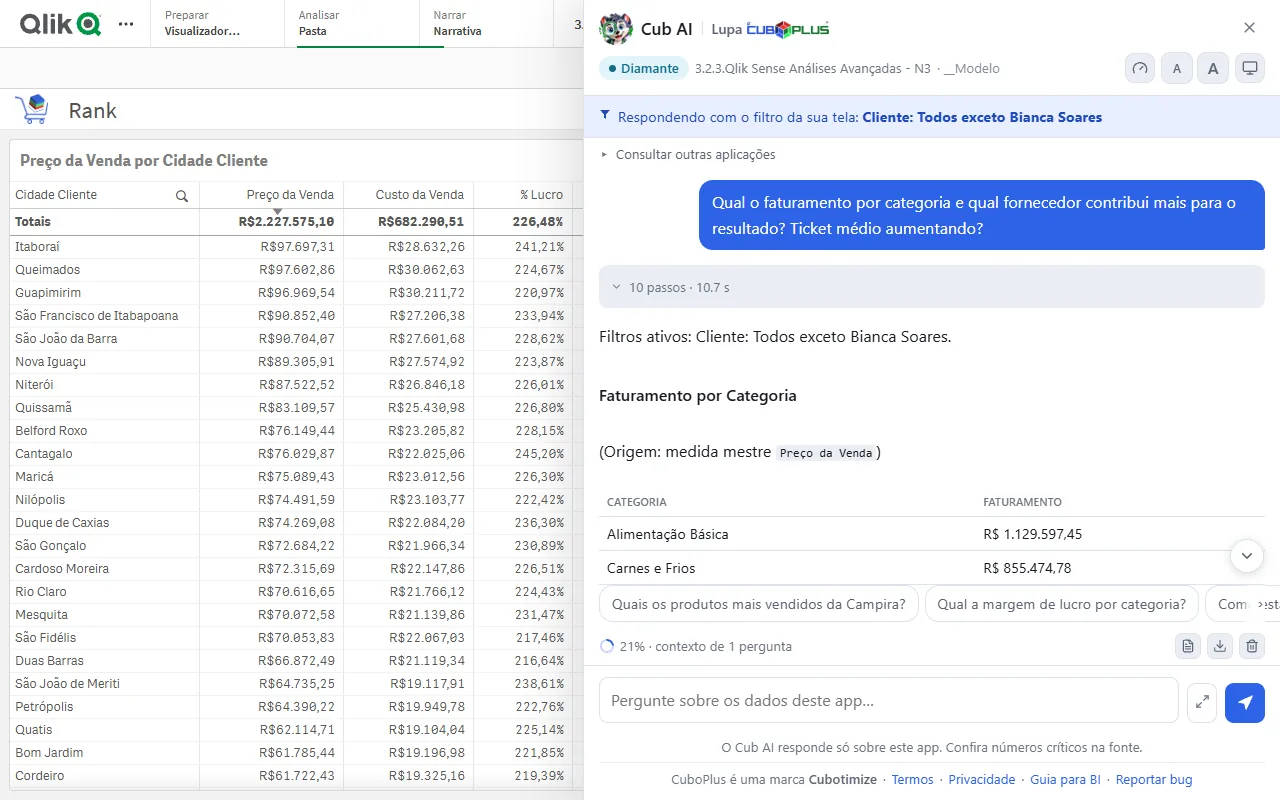
Cub AI panel next to a Qlik sheet, answering revenue by category with the screen's filter highlighted
The question on the Qlik screen The screen's filter sits at the top, and the answer says where the number came from: here, the master measure Preço da Venda (sale price).
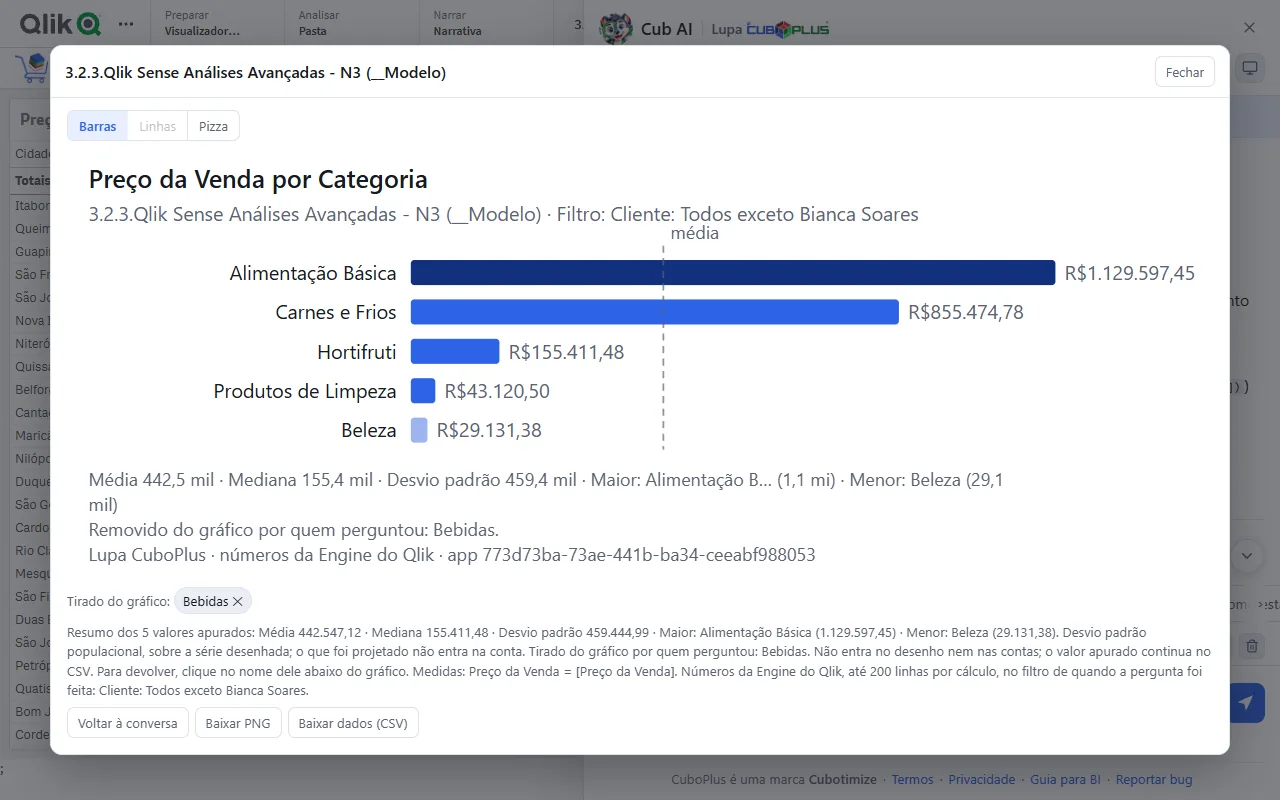
Enlarged bar chart of sale price by category, with mean, median and standard deviation written below
The enlarged chart The mean as a reference line, the highest and lowest highlighted, and the category the user removed from the chart stays written below. Downloads as PNG and CSV.
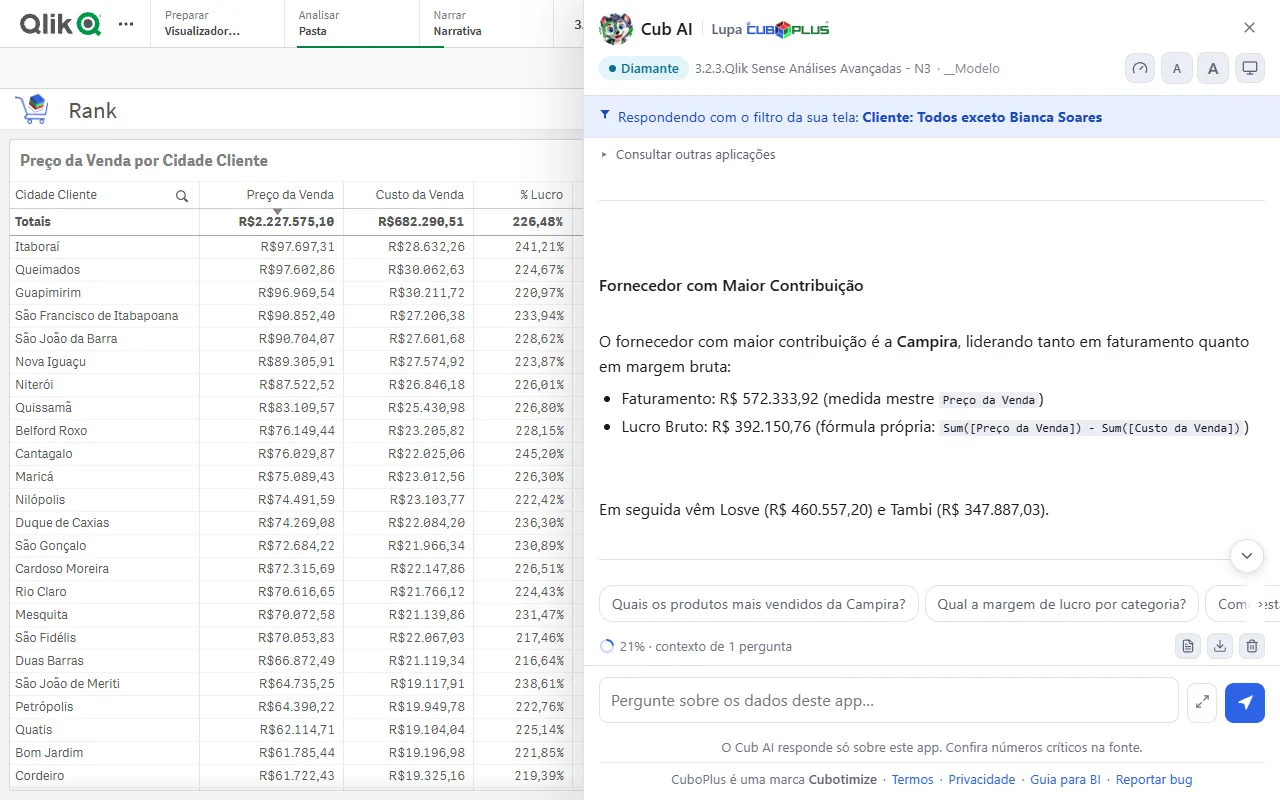
Answer about the supplier with the largest contribution, showing the master measure used and the custom formula for gross profit
Master measure or formula on the spot The answer separates the number that came from a master item from the one calculated on the spot, with the expression in view.
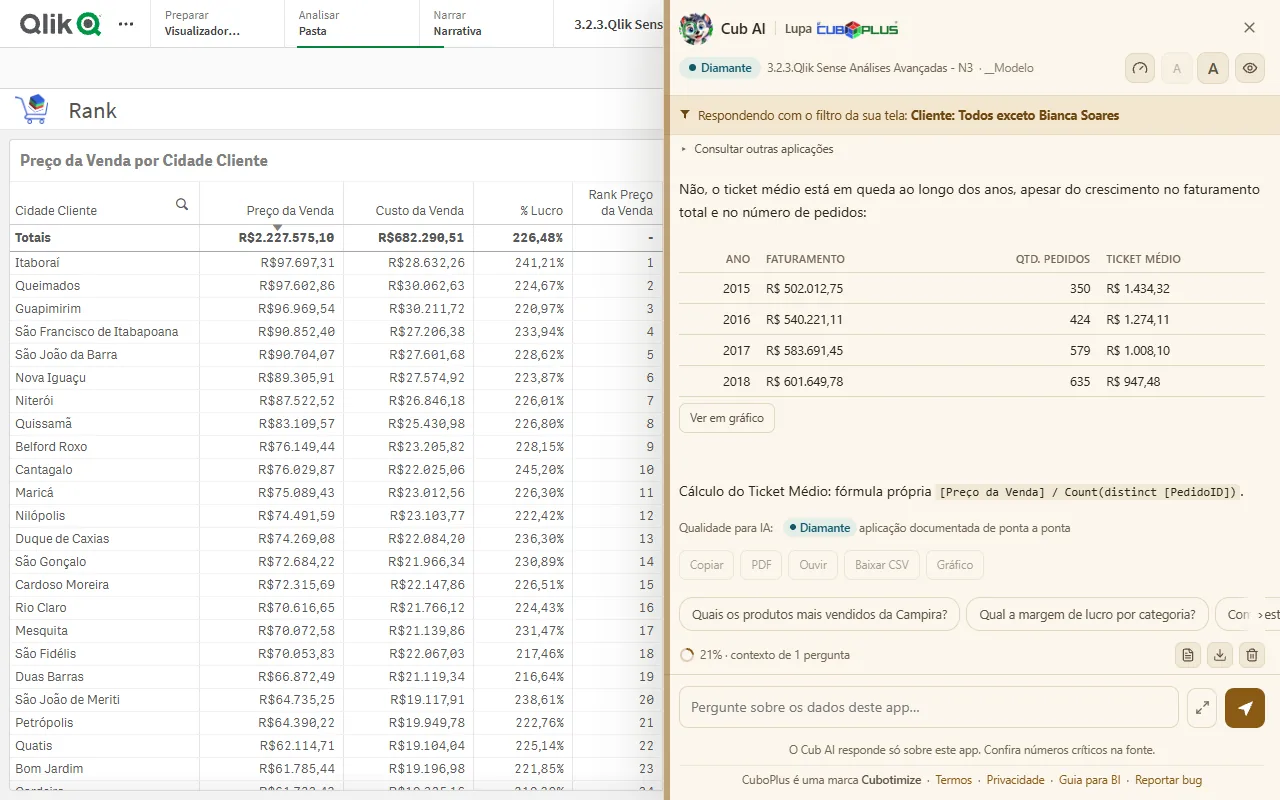
Table of revenue, orders and average ticket from 2015 to 2018, in the panel's warm color theme
Eye rest theme The average ticket year by year in the theme without blue. Theme and text size are up to the user.
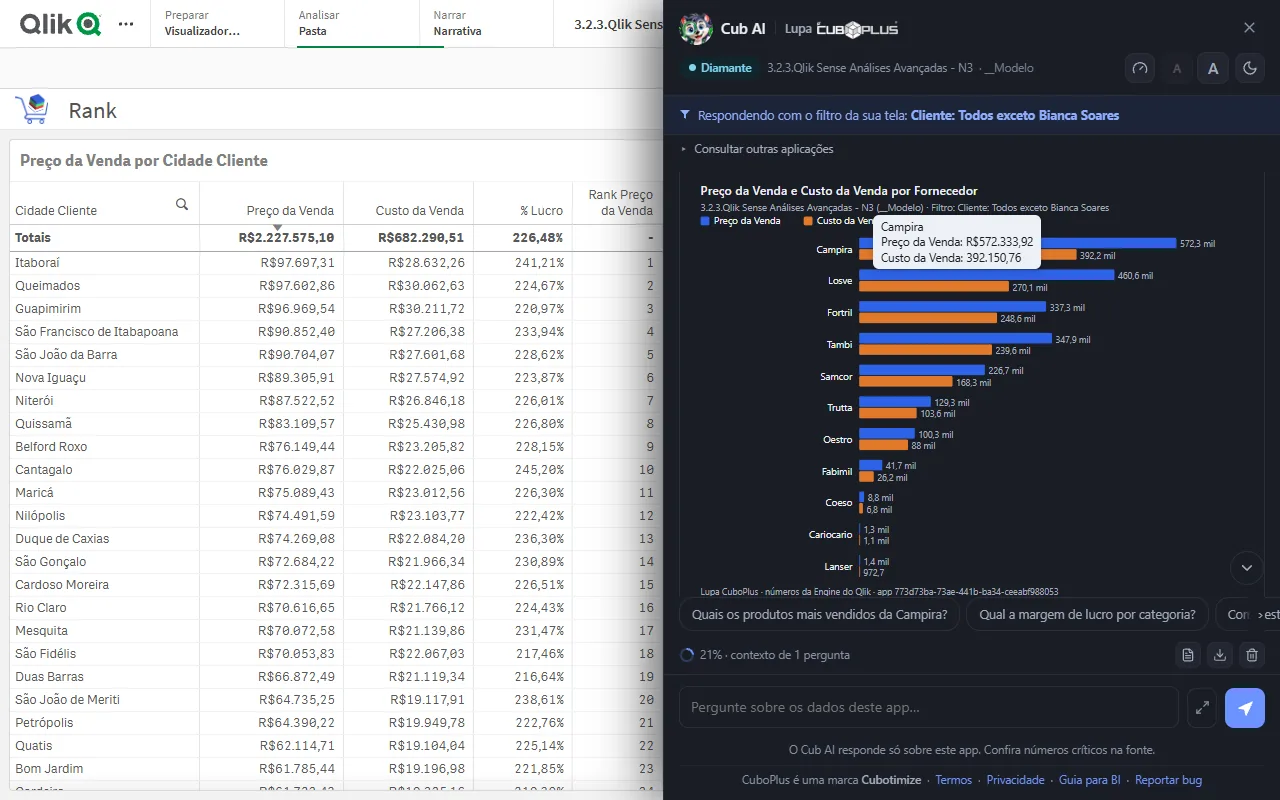
Grouped bar chart of sale price and sale cost by supplier, in the dark theme, with the value tooltip open
Dark theme Two measures per supplier, side by side, with the exact value on hover.
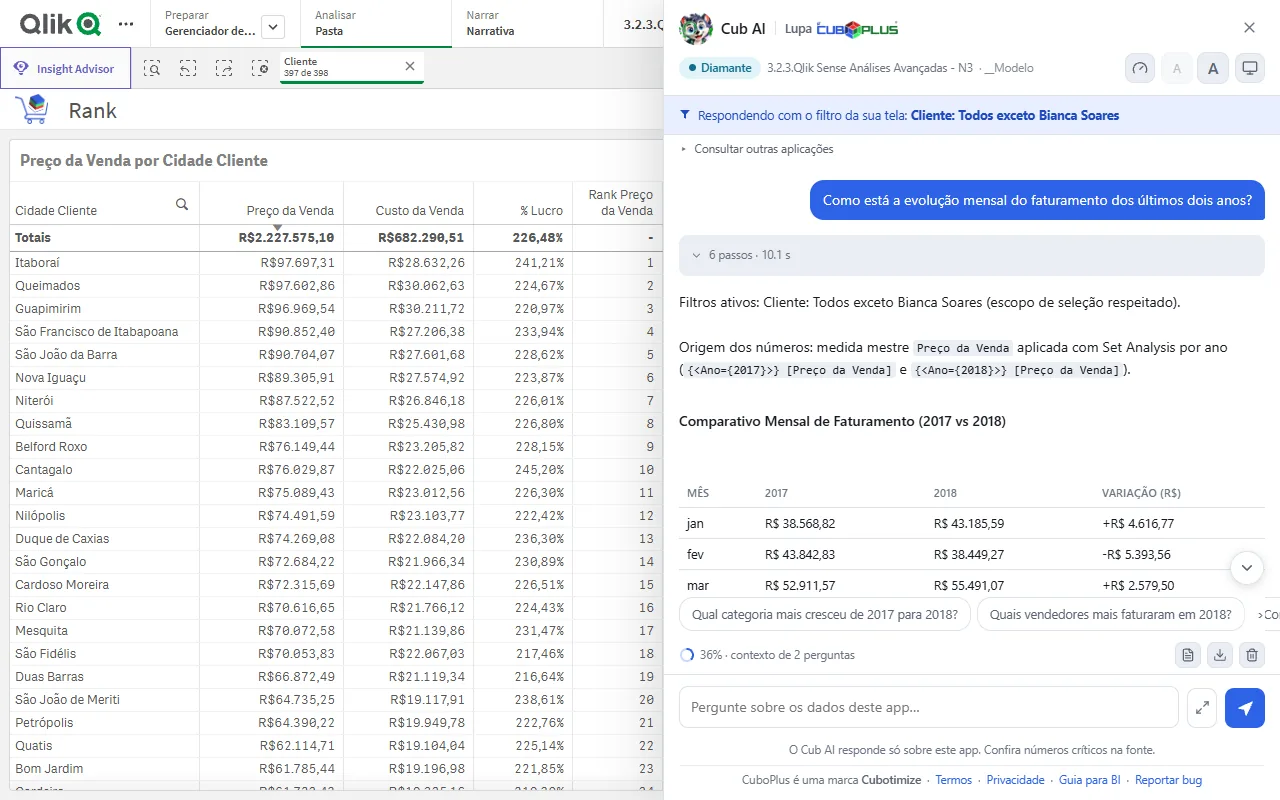
Monthly table comparing 2017 and 2018 revenue, with the variation in reais and the Set Analysis expression used
Year over year Each month of 2017 next to the same month of 2018, with the same master measure applied to each year through Set Analysis.
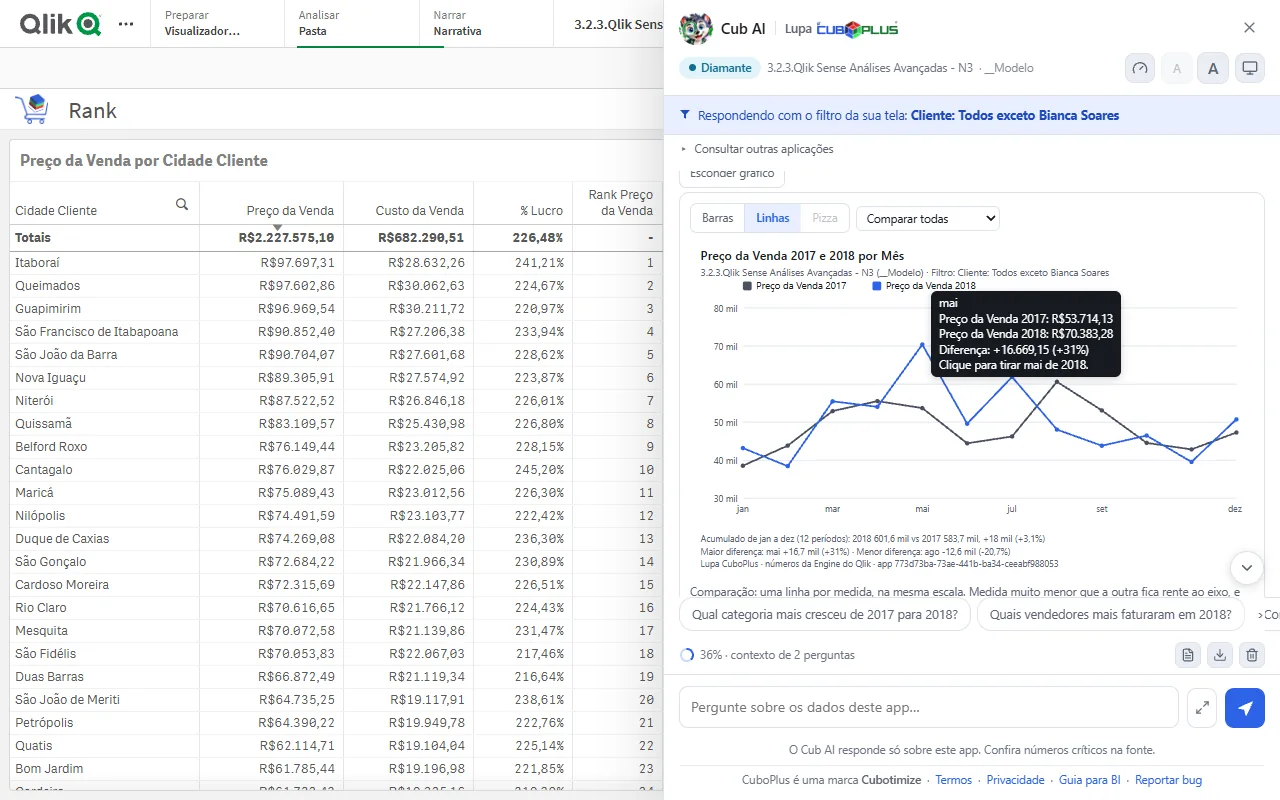
Line chart of 2017 and 2018 sale price by month, with the May difference in the tooltip
Both years on the same scale The tooltip shows the month's difference between the years, and one click removes the point from the chart.
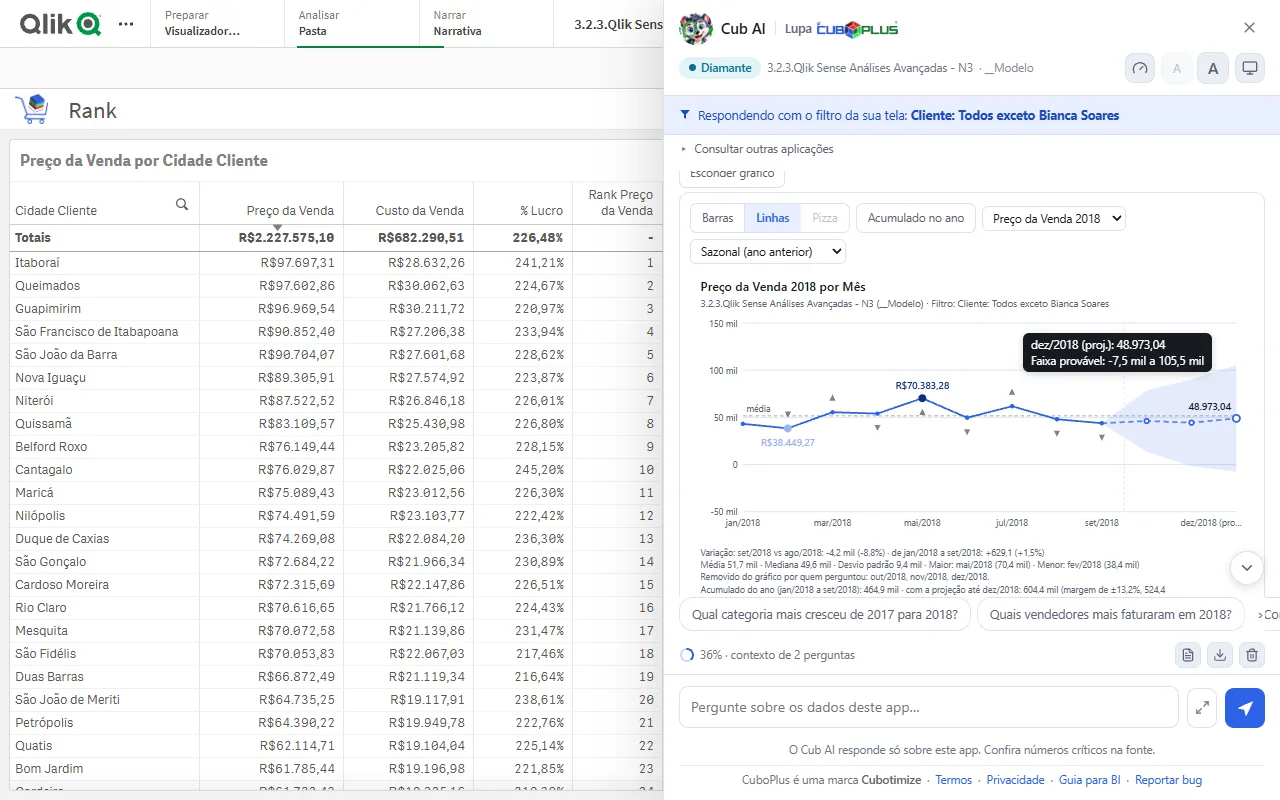
Line chart of 2018 by month with the projection through December and the likely range shaded
Projection with a likely range Seasonal, based on the previous year. The shaded band is the size of the error the method made in the months already known.
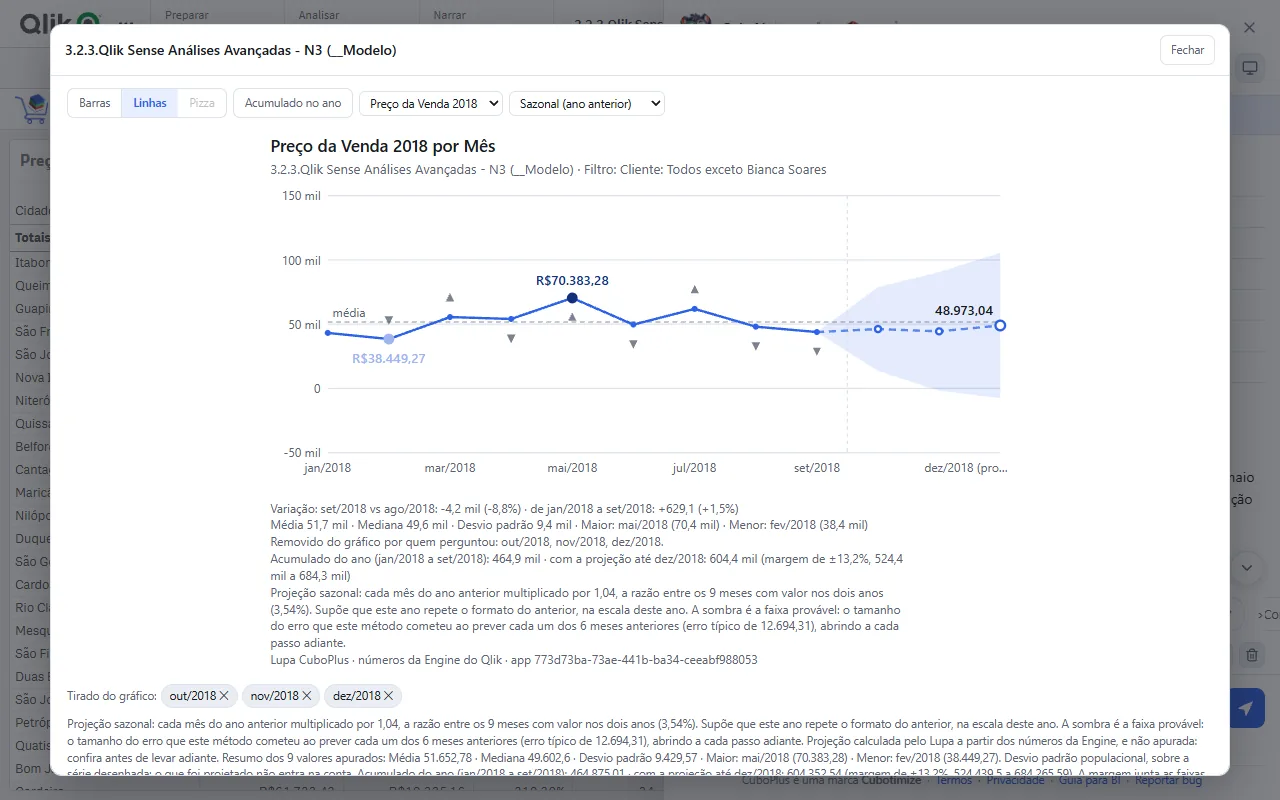
Enlarged projection chart, with the seasonal method, the year to date and the months removed from the chart written below
The method spelled out Each projection states the assumption it made, and what was removed from the chart stays on record. The math is done by Lupa, not by the model.
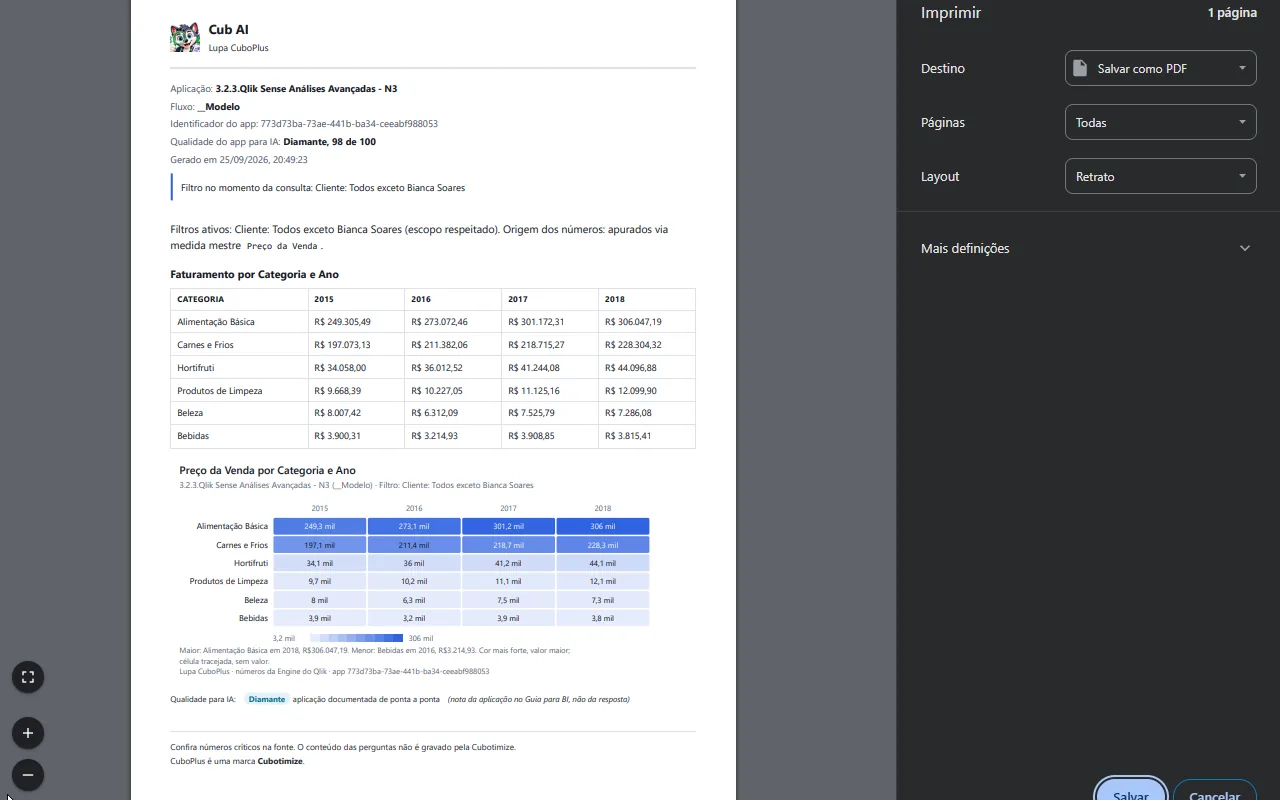
Print preview of the answer's PDF, with revenue by category and year as a table and as a heat map
A PDF for the meeting App, flow, quality rating and the filter in the header, with the answer's table and heat map.
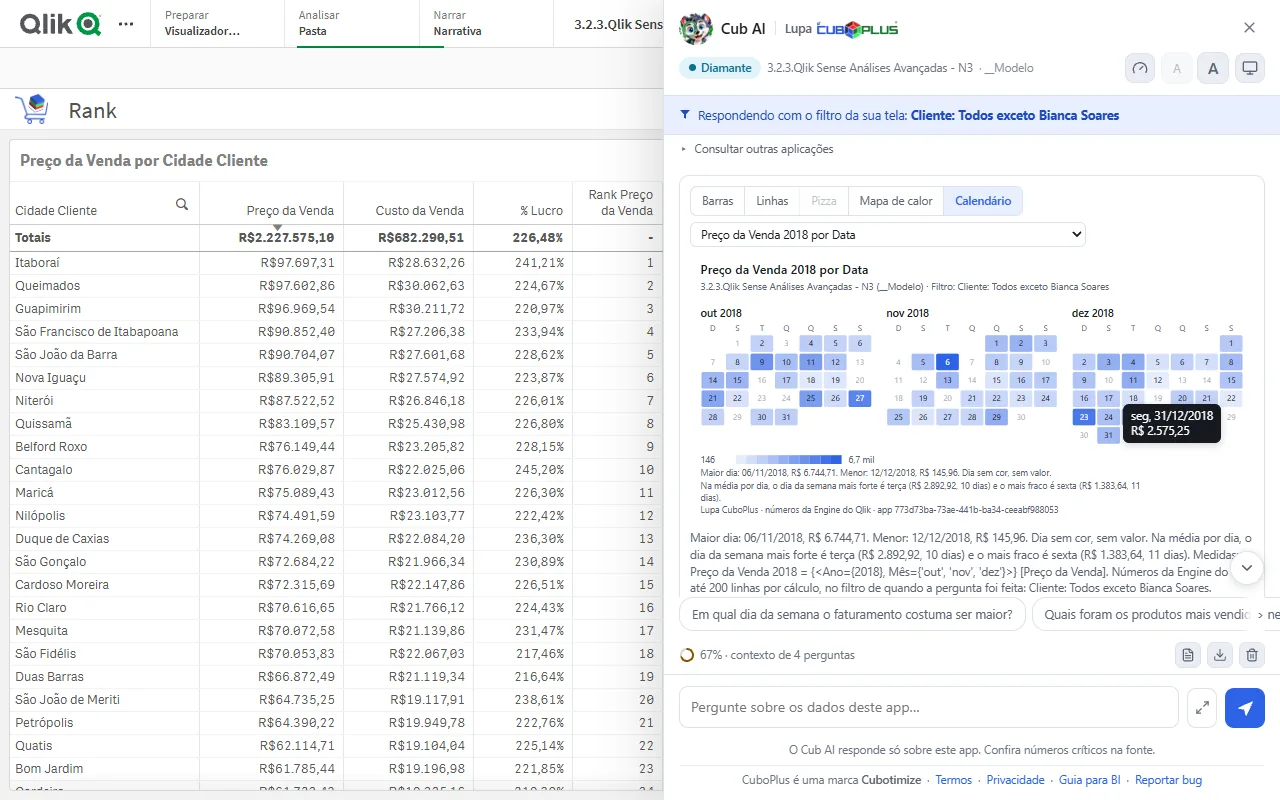
Calendar from October to December 2018, each day colored by sale price, with one day's tooltip open
Monthly calendar Each day colored by value, with the highest and lowest day and the strongest weekday on average.
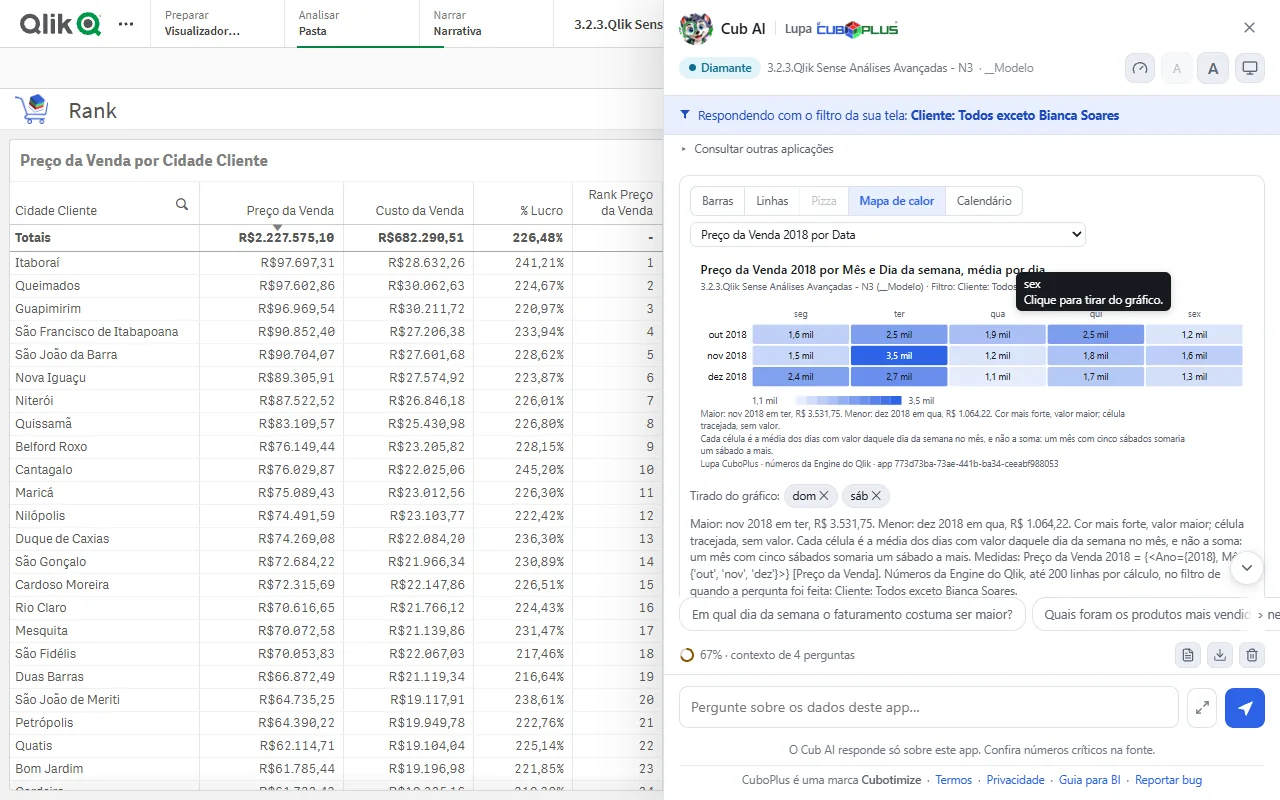
Heat map of sale price by month and weekday, with Saturday and Sunday removed from the chart
Heat map The average per weekday in each month. Saturday and Sunday were removed from the chart with one click.
AI quality window with the Diamond rating, 98 out of 100, the criteria table and the suggested fixes
AI quality Diamond, 98 out of 100: the app measured against the BI guide, with the fixes that pay off most. Does not use up questions.
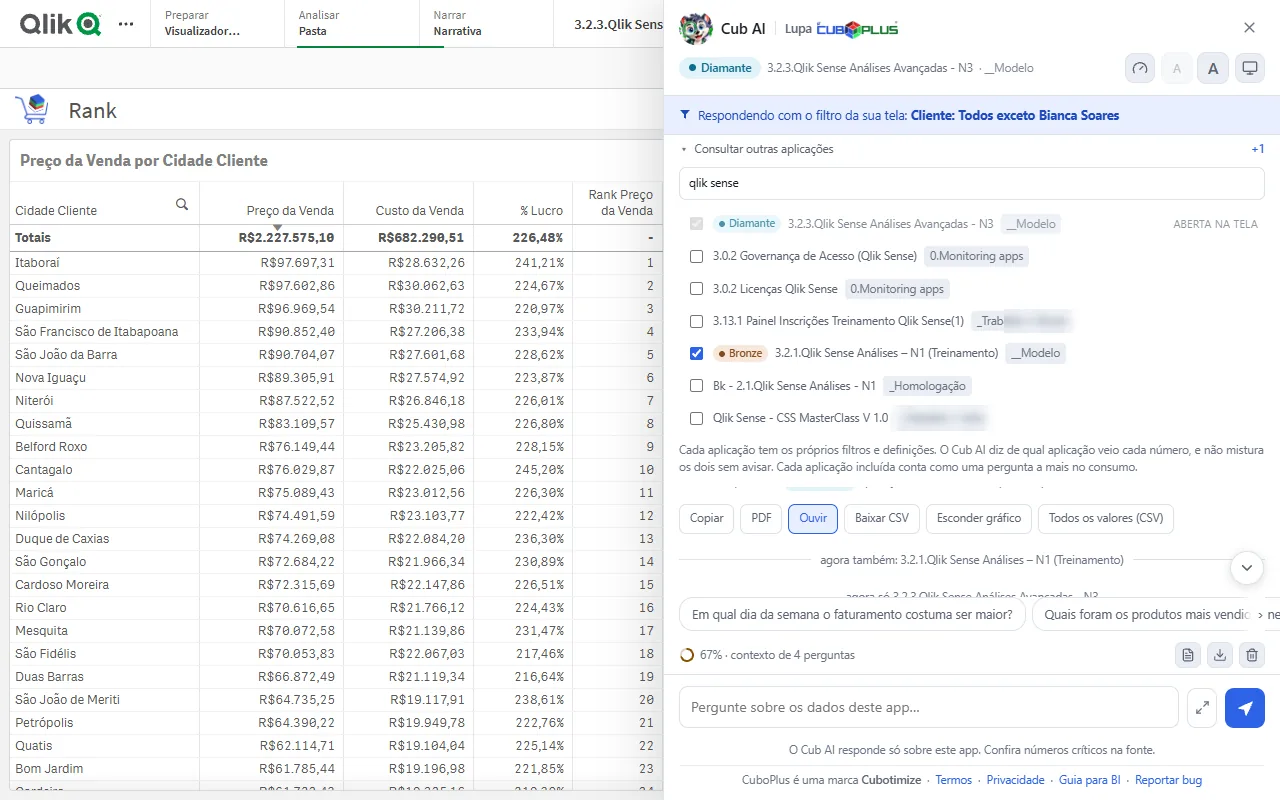
List of published apps to query together with the one open on screen, with each one's quality badge
Cross apps Another app joins the question with one click, and the answer says which one each number came from.

What it does

For each side of the table, what changes day to day.

For those who ask

The answer without opening a ticket

  • Ask in your language, on the screen you were already on, with the filter you had already applied. Your organization can set the language of the answers.
  • Ask with different filters and calculations, and the chat tells you what it used, always giving priority to master items.
  • Crosses apps in the same question, saying which app each number came from.
  • Understands the open sheet: "summarize the main numbers on this screen".
  • Draws the chart right in the conversation, with download as an image and as a spreadsheet.
  • Takes the answer with you, filter in the header: copy, CSV or PDF.
For the BI team

Your work becomes the first choice

  • Reviewed master measures come before any formula, and the answer says when it used one.
  • A warning written in a master item's description is passed on to whoever asks.
  • AI quality check, from bronze to diamond, with the list of what to fix. Does not use up questions.
  • All published apps checked at once, from the hub.
  • Public guide on how to write master items so the assistant understands them better.
For whoever owns the contract

Nobody finds out the bill at the end of the month

  • Monthly question package, with the balance visible on screen before it runs out.
  • Usage by app and by user, with period selection and export.
  • Alert for usage outside the organization's own pattern.
  • Fields the chat may not use, such as CPF (the Brazilian taxpayer ID) and employee number: the organization defines them, Cubotimize registers them, and the service refuses them in code.
  • Access requests made from inside Qlik, arriving with the environment already identified.
  • The assistant with your organization's name and mascot.

What it does not do

The part that usually settles the conversation with IT. These are not temporary limitations: they are architecture decisions.

About us

Lupa was born from Qlik consulting, not from a drawing board.

Cubotimize Soluções em Inteligência Tecnológica LTDA is a Brazilian company that works with data intelligence, Business Intelligence and high-performance software development. Since its founding, its technical specialty has been market-leading platforms, with Qlik® in front.

Cubotimize has existed since 2016 and keeps a steady pace of annual growth, building premium, high-conversion digital products. Visit our website at cubotimize.com.

Cubotimize has taken part in Web Summit Rio, one of the largest technology events in the world, since 2024. With our own booth at Riocentro, we present the CuboPlus products, close sales and open partnerships.

At the end of 2023 CuboPlus was born, the company's own product ecosystem. Lupa is part of it, and it came from a problem we kept seeing at clients: business people waiting for the BI team for questions the dashboard already answered.

That is why the product is the way it is. The extension queries the Engine, in the user's own session, respecting the Section Access the BI team has already set up. People who spent years building data governance do not build a tool that goes around it.

Other products

Versiona CuboPlus

Free extension that versions the Qlik Sense® load script in your company's GitLab or GitHub: who changed it, each app's history and restore. versiona.cubo.plus

Trilha CuboPlus

Corporate LMS that turns technical documents, PDFs and videos into gamified learning paths, with quizzes generated on the spot. trilha.cubo.plus

Link CuboPlus

Smart link shortening, custom vector QR codes, CTA and bio page, with engagement analytics. link.cubo.plus

Sorteio CuboPlus

Your all-in-one platform for prize draws and games (bingo, wheel, 3D dice, Instagram), lightweight, interactive and free. Works offline. sorteio.cubo.plus

Qlik consulting and custom projects: cubotimize.com

Let's talk

Tell us which Qlik you run and what your team asks the most. We reply with a demo on your own app.

Already have your organization's key? Install from the Chrome Web Store.